Standalone · No Phone Required

Explore
Without
Limits

GPS location, offline maps, and track recording — all on your Wear OS watch. No phone, no problem.

Download Free Wear OS · Android
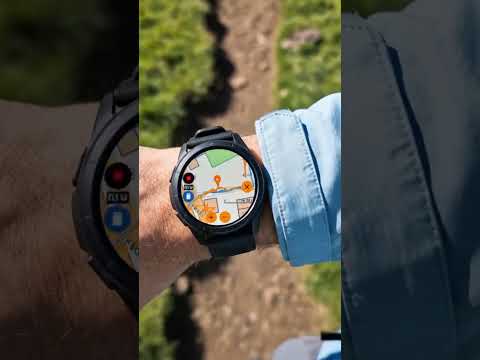
Where Am I app showing GPS location on Wear OS smartwatch

Everything You Need
On Your Wrist

Packed with outdoor and navigation features that work standalone on your Wear OS watch.

Standalone Experience

Runs entirely on your watch. No phone or companion app needed. Instantly see your location and start exploring.

Main GPS screen on smartwatch

Offline Maps

Download detailed maps directly to your watch. View your position anywhere, even without internet access.

Map view with GPS marker on watch

Easy Map Downloads

Browse and download maps by region. Stored on-device for fast, reliable access wherever you go.

Downloaded maps list on watch

Track Recording & History

Record routes as you move. Browse your track history and overlay past tracks as a ghost for comparison.

Track history path shown on map

Ghost Track Overlay

Visualize your previous tracks as a blue ghost line while you record a new session — perfect for pacing.

Ghost track overlay showing blue line on live map

Map Themes & Settings

Switch between light, dark, and other map styles. Choose metric or imperial units from the settings menu.

Dark mode map theme App settings screen

Elevation Tracking

Monitor your altitude in real time. See peaks and valleys with max and minimum markers throughout your adventure.

Elevation graph showing altitude changes during tracking

See It In Action

GPS location screen
GPS Location
Map view screen
Map View
Downloaded maps screen
Downloaded Maps
Track history screen
Track History
Ghost tracking screen
Ghost Tracking
Dark mode screen
Dark Mode
Settings screen
Settings
Elevation graph screen
Elevation

Ready to
Explore?

Download Where Am I and start your next adventure — all from your wrist.

Get on Google Play – Free